What is an App?
Apps are launched as a package on our board, and only one App can run at the same time. Apps consist of two major parts:
- Python - an application written in Python that runs on the Linux OS.
- Sketch - a sketch written in the Arduino language (C++) that runs on the microcontroller.
In particular, the following files are considered the "core" files of an App.
- A
main.py- for writing code that will run on the Linux side. - A
sketch.ino- for writing code that will run on the microcontroller side. - A
app.yaml- configuration file for the App (this file automatically updates based on App configurations made, and cannot be edited).
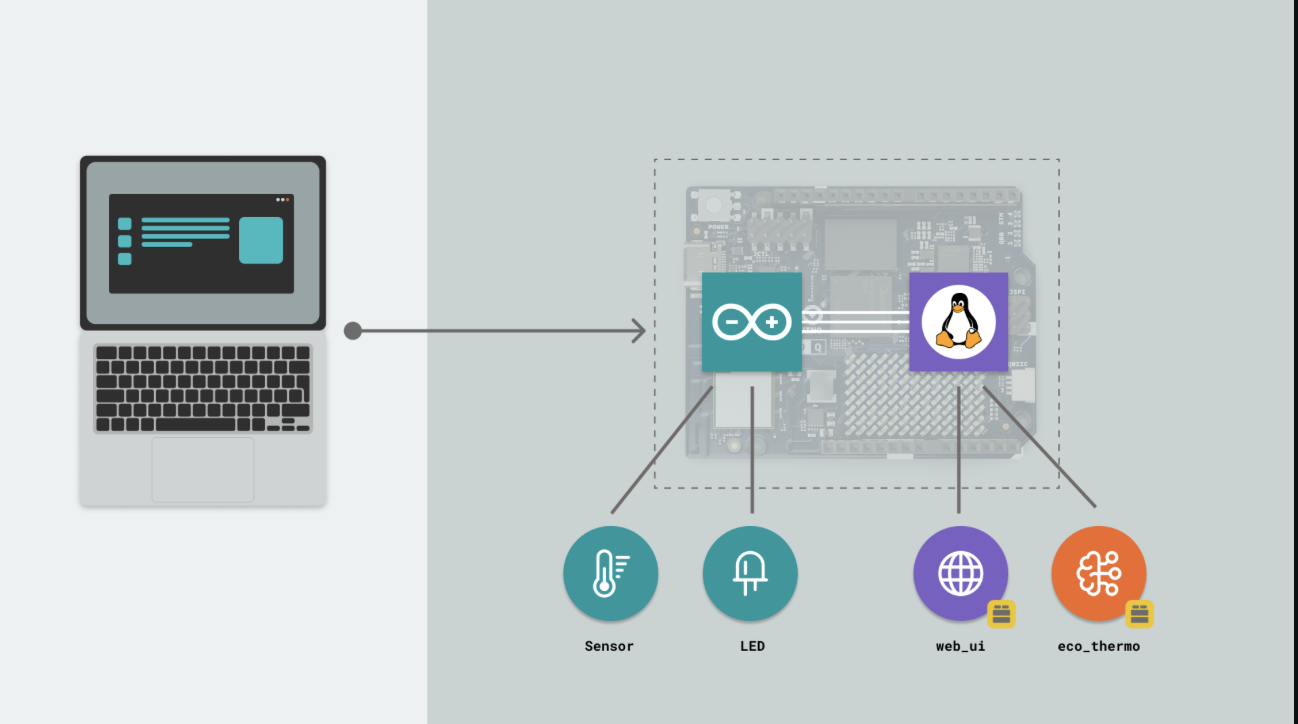
The Python part of the application is capable of running AI models, hosting a web server, or making calls to external services.
The sketch part of the application handles interaction with sensors, LEDs, motors, and other electrical components.
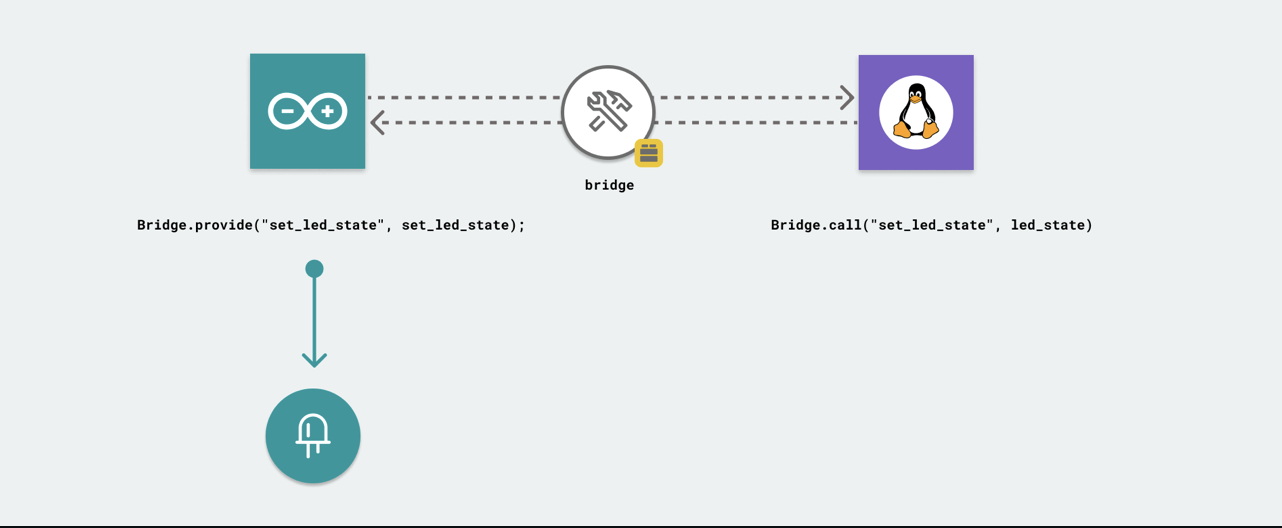
The two parts can communicate with each other through something called Bridge.
Bridge
Bridge is a tool that enables communication between the Linux system and the microcontroller. It allows data to be exchanged between the two systems seamlessly.
This communication works through a provide and call mechanism, where one system can provide data and the other can request (or call) that data when needed.
Your Turn
- Open Arduino App Lab and create a new App from scratch.
- Locate the three core files in your App:
main.py,sketch.ino, andapp.yaml. - In
main.py, add aprint("Hello from Python!")statement and run the App — check the output in the terminal. - In
sketch.ino, add aSerial.println("Hello from Arduino!");insideloop()and verify it appears in the Serial Monitor. - Look at the Bridge diagram above and think about: what kind of data would you want to send from the sketch to Python in a real project?